
Tsumimi Time Day 1 Walkthrough: Jobs & Stream 1
Day 1 order for Red Chat Ritual: morning menus, part-time pay, saving, SNS and map search, Mega Chat tiers, and sleep into Day 2 (launch-build UI shown).
FAQ
What can you do in the morning and afternoon on Day 1?
How much money do you start with on Day 1?
Where do you save in Red Chat Ritual?
Should you work a full part-time day on Day 1?
Is Day 1 mostly a tutorial?
What should you do first on Tsumimi Time Day 1?
Follow the day bands on the home screen: use morning and afternoon for investigation menus and night for the stream, then sleep to advance. On launch build Ver.1.0.0, theloladass Gaming’s playthrough opens with the home tutorial, reads the Fan Site, runs SNS keyword search, opens the Investigation File and Map Search tutorials, takes one part-time shift, plays Stream 1 with Mega Chats, checks the wishlist, and wakes to Day 2/Morning after map results save to the Investigation File. For the wider Chapter 1 map, see /walkthrough/chapter-1/; for keyword rules, see /walkthrough/investigation-keywords/.
How does the Day 1 home screen divide morning, afternoon, and night?
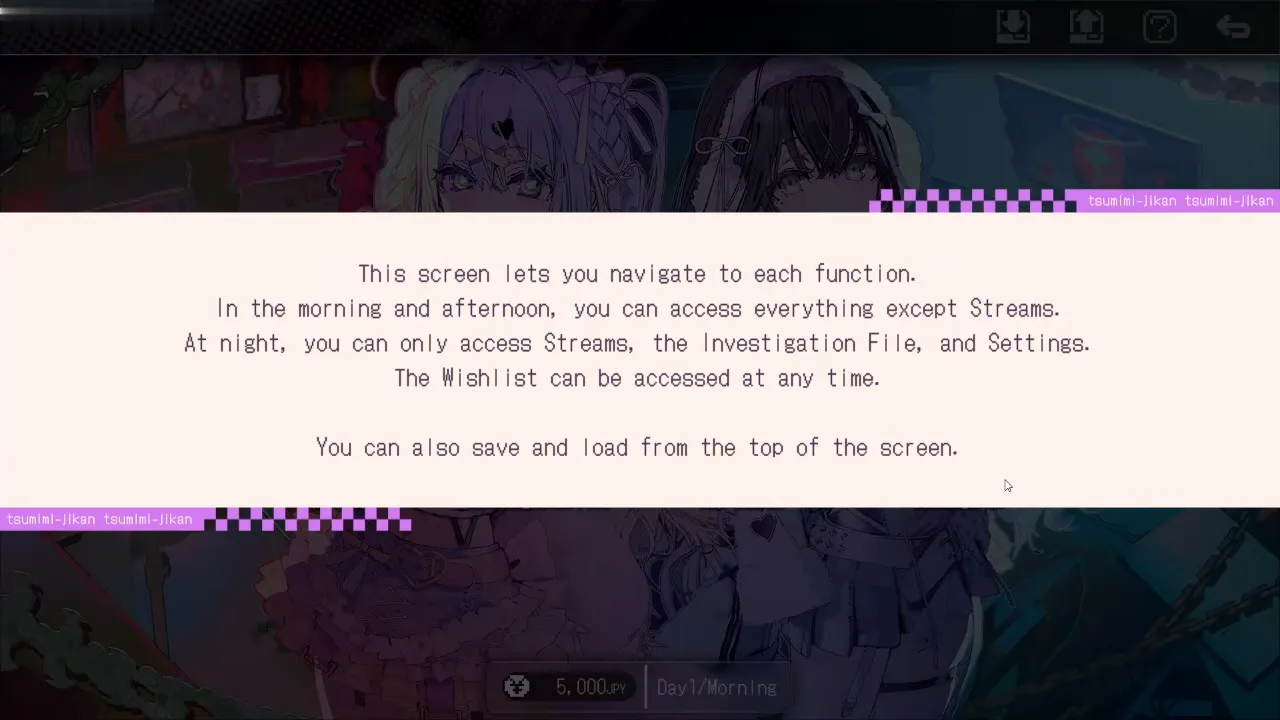
The first tutorial overlay states that morning and afternoon reach every function except Stream, while night only allows Stream, Investigation File, and Settings, with Wishlist open at any time. The same box tells you to save and load from the top of the screen, which matches the Official Hints FAQ and the Japanese Play Guide description of the home loop.
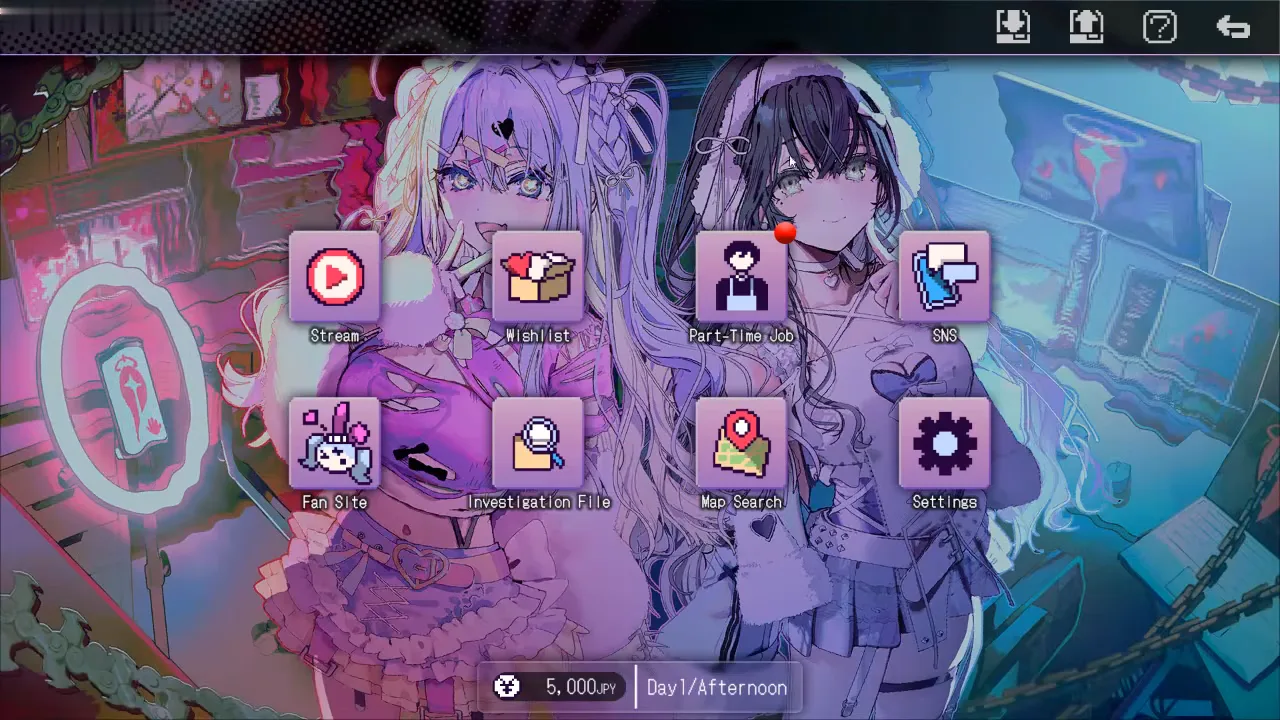
Save and load icons sit in the top-right cluster on these home views. For patch-era fast-forward and save advice, see /guides/save-and-fast-forward/.
How much money does Day 1 start with on the launch build?
On Ver.1.0.0, the money bar reads 5,000 JPY (yen shown as JPY next to the amount) at Day 1/Morning and still 5,000 JPY at Day 1/Afternoon before the player accepts part-time work in this recording. That observation is [SINGLE] (one video). The Ver.1.0.1 update notice confirms higher starting funds but gives no numeric before/after values [OFFICIAL]. Do not assume the same 5,000 JPY on a 1.0.1 install.
What part-time work appears on Day 1 in this video?
In Day 1/Afternoon, the part-time list shows one opening: Sorting goods in a warehouse at Shinonome Logifull, PM slot, paying 5,000 JPY as displayed, with an Apply button. Player funds in the same frame still read 5,000 JPY until the job resolves.
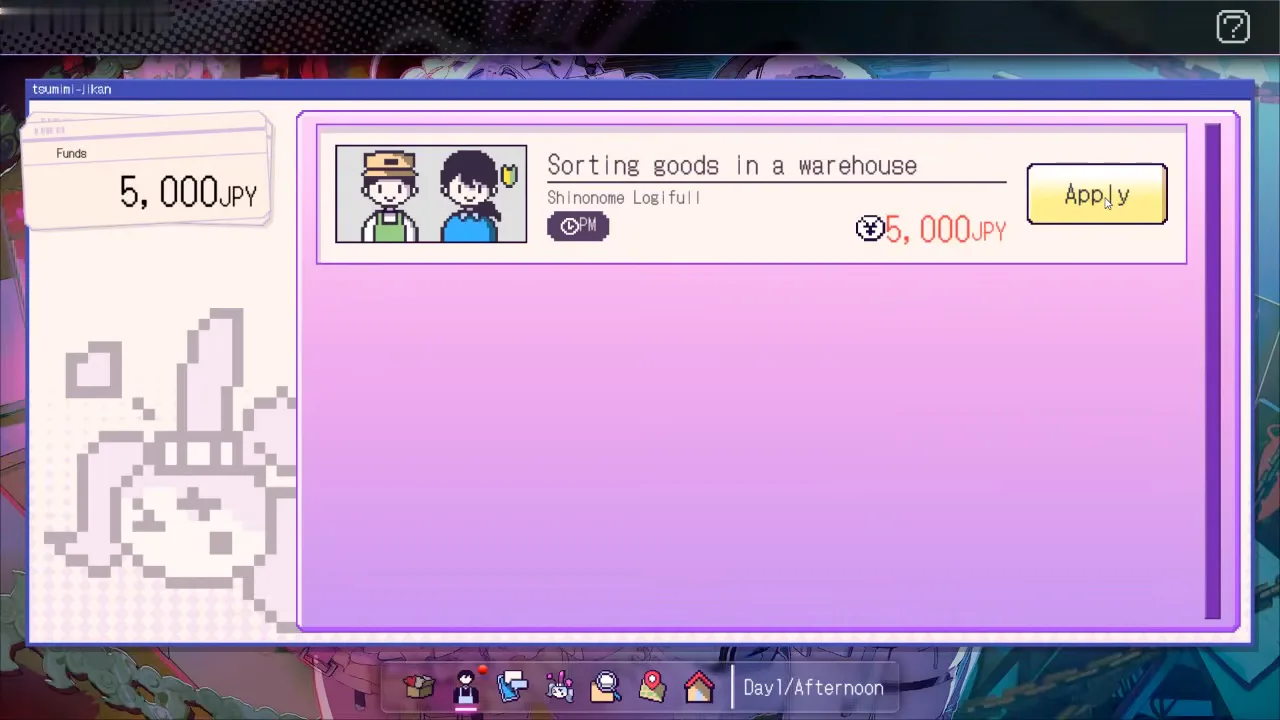
Full-day versus half-day: Guidexon and the Barebone all-endings Steam guide both recommend earning with a full day of part-time work instead of a half day plus investigating [2-SOURCE]. This recording does not test that tradeoff: the player takes one PM shift (not a second slot in the captured UI), then moves to the night stream. More context on the money loop lives on /guides/money-and-part-time-job/.
How do SNS search and the Investigation File work on Day 1?
SNS opens a keyword panel with the warning that selecting a search advances time. The Fan Site tutorial (same video, not shown here) states that important comment threads can be saved into the Investigation File, and a home-screen banner confirms saves with the pattern Saved “…” to the Investigation File.
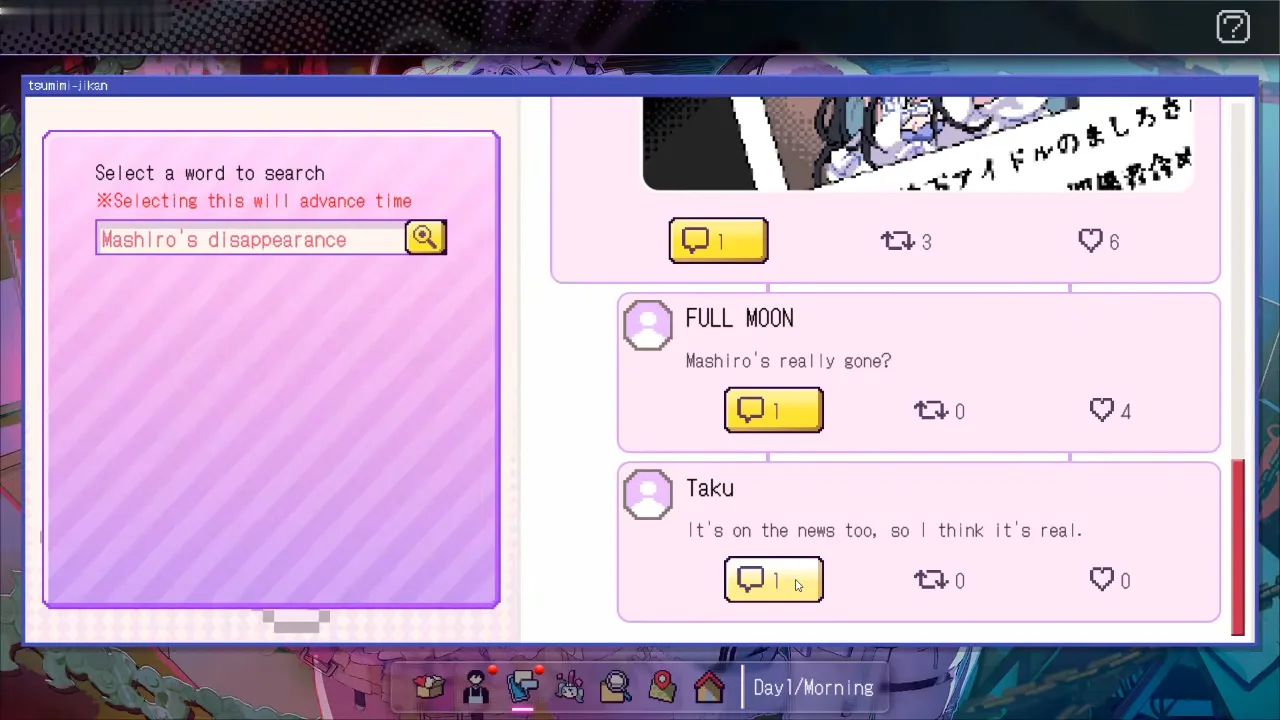
Map Search uses the same time-advance warning in its tutorial frame on Day 1 afternoon while the keyword list is still empty. After the night stream, the player runs a map lookup; the first clear Saved … to the Investigation File banner tied to map results appears on Day 2/Morning in this timeline, with 8,500 JPY on the money bar (Day 2 frames are on /walkthrough/chapter-1-day-2-3/).
Keyword mechanics and fan-site imports are expanded on /walkthrough/investigation-keywords/.
What happens in the first stream and how do Mega Chats show prices?
When Stream opens at night, a top banner explains that you intervene only during the night stream by sending instructions through Mega Chat so the streamer can investigate places of interest. That is the core Mega Chat mechanic on Day 1: paid chat tiers during the live UI, separate from free scrolling comments.
During Stream 1, the chat sidebar highlights Mega Chat entries with 1,500 yen shown on the card (the UI uses a yen symbol before the number). This page shows no screenshot of that moment: the stream view is mostly character art, so only UI-only frames are published here. The official FAQ confirms Mega Chats are paid options without publishing a tier table [OFFICIAL], so treat these numbers as launch-build UI only [SINGLE] (video at about 7:00).
Day 2 and Day 3 Mega Chat pacing is covered on /walkthrough/chapter-1-day-2-3/.
What should you check in the wishlist before sleeping?
Late on Day 1/Late Night, the wishlist tutorial explains that gifts bought with part-time money get reactions on the next stream, with timing-dependent outcomes. In this run the funds bar reads 8,500 JPY after the warehouse shift and stream spending. Sample list prices visible in the shop UI include 1,000 JPY, 3,000 JPY, and 20,000 JPY items.
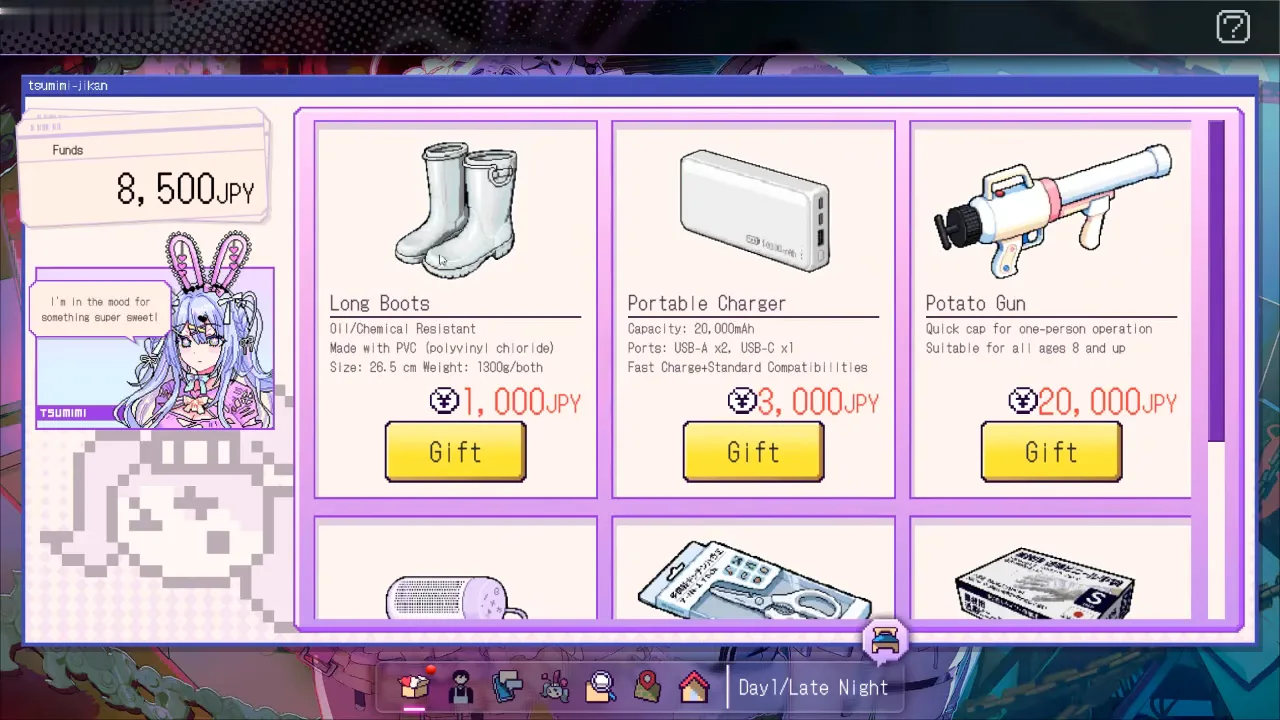
Use the sleep control on the home dock (bed icon on the bottom bar in the recording) to end the day. The next home frame in the video reads Day 2/Morning with 8,500 JPY still on the bar, followed by fresh map keywords.
Does this video match a tutorial-heavy Day 1?
Guidexon calls Day 1 mostly a tutorial stream [SINGLE] (walkthrough and all-endings pages share one author). The launch-day recording aligns in spirit: extended menu tutorials, one structured night stream focused on Mega Chat pricing, wishlist browsing without buys, and no deduction or route branch on Day 1. It does not demonstrate optimal part-time scheduling against the Guidexon plus Barebone full-day pay tip.
Sources and verification
| Source | URL |
|---|---|
| Steam store page | https://store.steampowered.com/app/4413070/Red_Chat_Ritual___TSUMIMI_TIME/ |
| Ver.1.0.1 update notice | https://store.steampowered.com/news/app/4413070/view/703282928078034419 |
| Official Hints FAQ (EN) | https://steamcommunity.com/sharedfiles/filedetails/?id=3825261685 |
| TSUMIMI TIME Play Guide (Steam News, JA) | https://store.steampowered.com/news/app/4413070/view/703282928078034481 |
| Guidexon walkthrough | https://guidexon.com/red-chat-ritual-tsumimi-walkthrough/ |
| Steam guide: Barebone all endings | https://steamcommunity.com/sharedfiles/filedetails/?id=3824812257 |
| Launch-day gameplay video (theloladass Gaming) | https://www.youtube.com/watch?v=UFBzLM0EgSc |
Checked 2026-10-25. This guide targets Ver.1.0.1 mechanics text where official; screenshots are Ver.1.0.0 UI from the credited video. Community-reported steps are not independently tested by this wiki; lists, prices, and investigation files can differ by route and patch (official FAQ13).
Related Articles
walkthrough
Tsumimi Time Mega Chat Guide: Days 2-3
Launch-build UI for Red Chat Ritual Days 2-3: Stream 2 and Stream 3 Mega Chat costs, GamePretty row checks, and which chats route guides say you can skip.
walkthrough
Red Chat Ritual Keywords & Investigation Files
Why keyword search seems to do nothing in Red Chat Ritual: keywords vs investigation files, SNS and map search, save banners, and time slots.
endings
Red Chat Ritual All 9 Endings (Ver.1.0.1)
How many endings does Red Chat Ritual have? Steam lists nine ending achievements (End 1–8 and End 404) plus a completionist trophy.
Was this helpful?
Thanks for the feedback!